


Manage settings
Manage access
Configure court access control via Spartime
Spartime offers a simple and secure solution for managing access to courts. Each booking automatically generates a unique access code, ensuring precise control over access to your facilities. Set up this feature in a few steps.
Access the Manage access section
In the main menu, select Settings, then Manage access. This section allows you to configure access settings for all your courts.
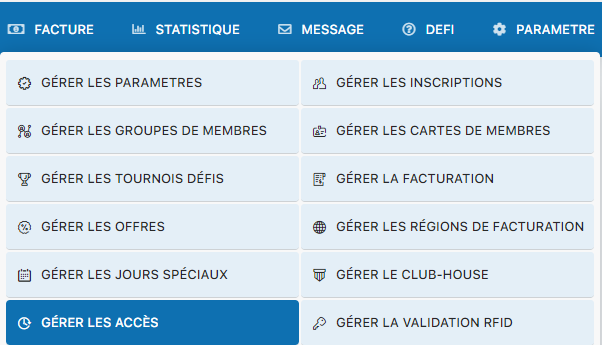
Settings menu - Manage access
How access codes work
Each booking made in your system will automatically generate a unique access code. This code is communicated to members at the time of booking, allowing them to access the courts securely. Spartime ensures that every access is tracked and controlled, providing optimal management of your club's resources.
Plugin.ch Tutorial — Manage settings