


Manage settings
Manage registrations
Allow or block self-registration for new members
1
Access registration management
From the menu, click “Manage registrations” to configure the registration options for new members.
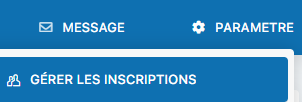
Menu for accessing registration management
2
Enable or disable registrations
Select “Yes” to allow new members to register online, or “No” to block self-registration and manage memberships manually.
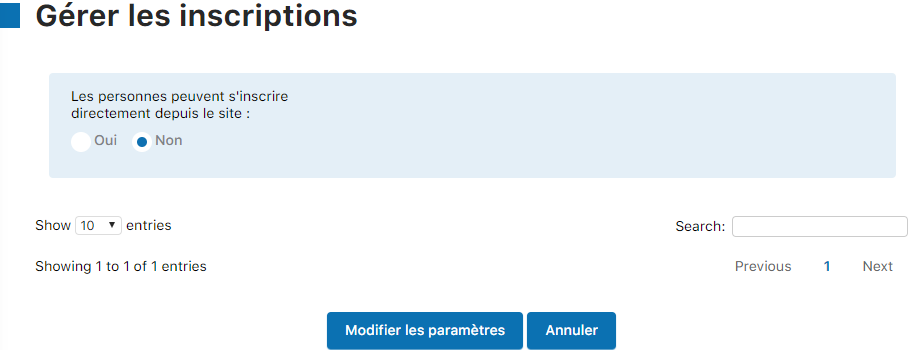
Option to enable or disable online registrations
3
Review the detailed settings
Once you have set your registration preference, you can access all the related settings in the full configuration screen.
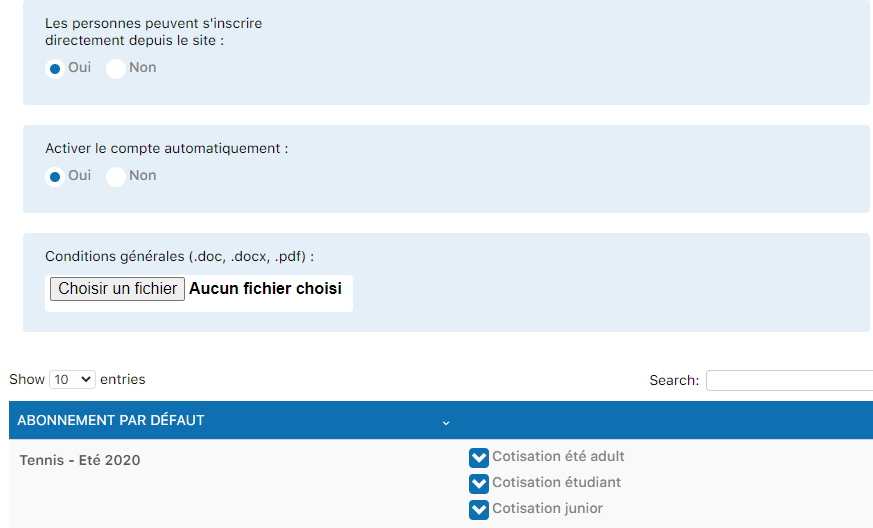
Complete registration configuration screen
Warning: Although the system allows online self-registration, it is strongly recommended that the secretary or club administrator manage registrations manually. This ensures better control of data quality, verification of information, and consistent integration into your system.
Tip: To add or manage members manually, see the “Manage members” section in the Settings menu.
Plugin.ch Tutorial — Manage settings