


Manage your club's statistics
Analyze your court activity and optimize the management of your facility
Accessing statistics
The Statistics module lets you view all the data relating to your court usage, your bookings, and your members' activity. To access it, click on the STATISTICS tab located in the main Plugin.ch menu.
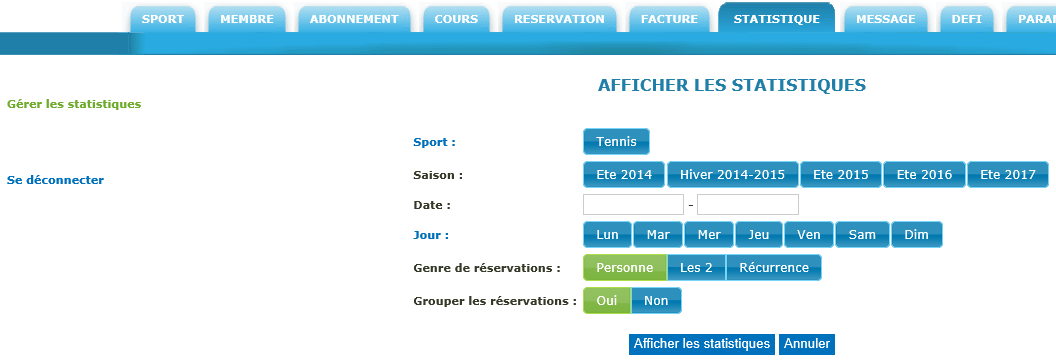
Figure 1: Accessing the Statistics module via the dedicated tab
💡 Tip: Statistics give you a complete overview of your activity. You will find data on court occupancy, booking trends, and member engagement.
Configure the statistics display
To customize the statistics display to suit your needs, fill in the available configuration fields. These fields, usually highlighted in green, let you define the filtering and display settings.
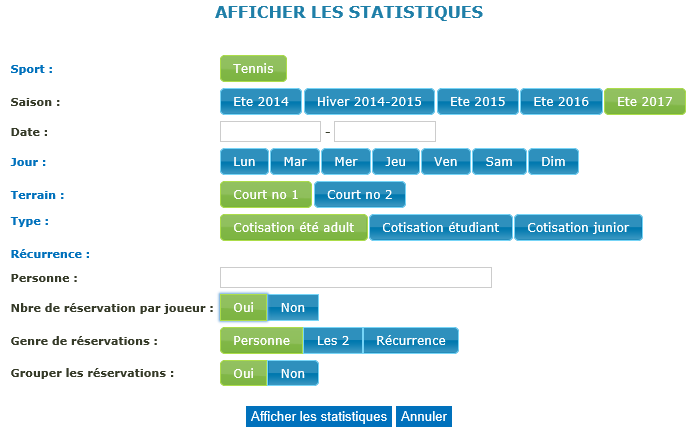
Figure 2: Configuration fields for customizing the display
Once the settings are configured to your liking, click the "Show statistics" button to generate and display the filtered data. Plugin.ch will process your request and provide a detailed view of the selected information.

Figure 3: Detailed display of the configured statistics
⚠️ Note: Make sure to select relevant criteria to obtain meaningful data. Overly restrictive filters could hide important trends.
View statistics by day
For a more granular analysis of daily activity, click on the row titled "Statistics by day" in the results table. This function lets you explore detailed data day by day and identify attendance patterns.
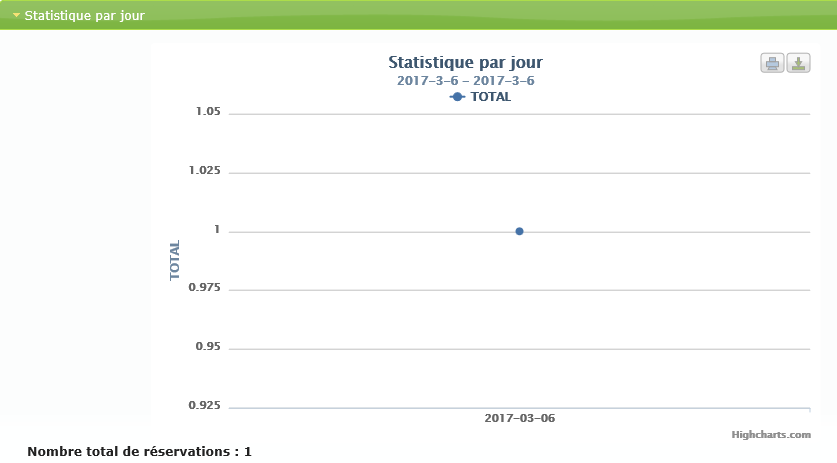
Figure 4: Details of daily statistics
💡 Tip: Use the daily statistics to identify peak attendance times, optimize your court scheduling, and adjust your rates based on demand. This data is valuable for effective management.
Practical uses of statistics
- Analyze court occupancy: Identify off-peak hours and periods of high demand to optimize your offering.
- Plan seasonal schedules: Adjust your opening and closing schedules based on trends observed over the seasons.
- Understand peak periods: Identify the most popular days and times to better anticipate resource needs.
- Track member activity: Measure your community's engagement and identify opportunities to build loyalty.
In short
The Plugin.ch Statistics module is a powerful tool for managing your tennis facility. By mastering access, configuration, and detailed data review, you will be able to make informed decisions to optimize your operations, increase member satisfaction, and maximize the use of your facilities.
Plugin.ch Tutorial — Statistics