


Manage lessons
Invoice and Reminder Texts
Configure the communication templates for your lessons
Invoice and reminder texts are essential for professional communication with your members. Plugin.ch lets you fully customize the content of your documents—whether paper or electronic invoices, or payment reminders. Learn how to configure these elements for each type of lesson.
Access invoicing management
Start by navigating to the settings section of your invoicing system. From the main menu, select SETTINGS, then MANAGE INVOICING. This centralized area lets you configure every aspect of your financial documents.
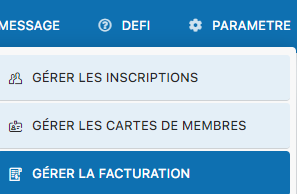
Access invoicing settings from the main menu
Locate the text template sections
Once in invoicing management, you will see several sections dedicated to text templates. Each section corresponds to a document type: paper invoices, email invoices, paper reminders, and email reminders. Scroll down the page to see all the available options and identify the sections you want to customize.

Text template management interface for invoices
Create paper invoice templates for your lessons
The paper invoices section lets you define the content that will appear on your printed documents. You can add custom paragraphs explaining enrollment fees, lesson rates, payment terms, or any other information relevant to your members. These texts should be clear, professional, and tailored to your teaching structure.
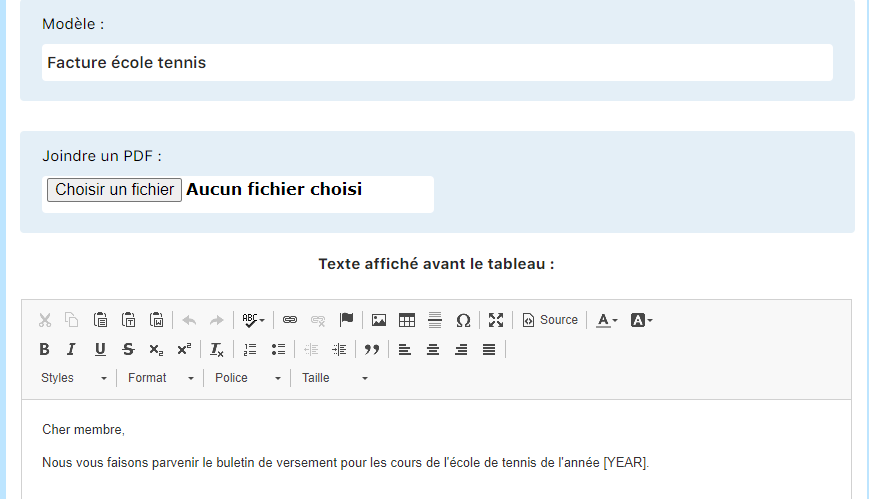
Example of a paper invoice template for tennis lessons
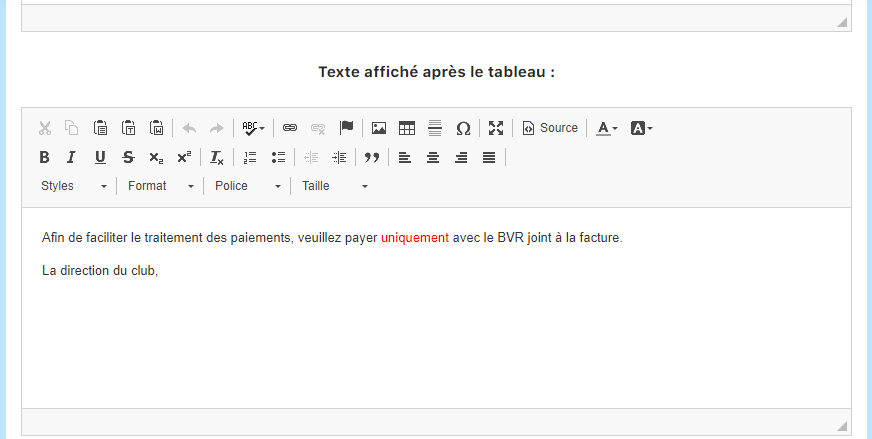
Continuation of the invoice template with payment terms details
Configure the four types of communication templates
For complete, professional management, you need to create texts for four different categories:
- Paper invoices — Intended for printing and hand delivery or postal mail
- Email invoices — Sent electronically with a slightly simpler tone and links to payment
- Paper reminders — Printed follow-up documents for outstanding payments
- Email reminders — Discreet but persuasive digital messages to follow up on payments
Each type of document should be suited to its medium and context. Emails, for example, should be concise and action-oriented, while paper documents can be more detailed.
Plugin.ch tutorial — Manage lessons