


Archive invoices
Manage invoices
Archiving invoices is an excellent practice for keeping your management interface clean and organized. Plugin.ch handles archiving automatically after one year, but you can also archive manually at any time. This tutorial shows you how.
Automatic archiving after 1 year
Plugin.ch automatically archives your invoice groups one year after their creation. This lightens your interface without losing your data.
Identify archived groups
Automatically archived groups do not appear in the default list. To see them, you must enable the display of archived groups.
Show/Hide archived groups
Click the button to switch between normal view and archive view.

Manually archive a group
You can manually archive a group before the automatic archiving date. This is useful for quickly organizing your interface.
Access invoice management
Go to INVOICE / MANAGE INVOICES.
Click the archive icon
Locate the group you want to archive and click its archive icon.

Confirm archiving
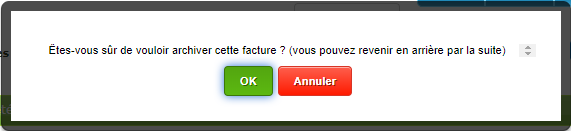
A confirmation message appears. Confirm your intent to archive the group.
Archived group with visible icon
Once archived, the group disappears from the default list, but an archive icon is shown on it if it's displayed again.

Archive icon on invoices
Invoices in the archived group also show an archive icon in column 2 of the list.

Restore an archived group
You can unarchive a group at any time to bring it back into your active list.
Display archives and unarchive
Enable the display of archived groups, then click the group's archive icon again to unarchive it. The group returns to your active list, although the archive icons on the invoices remain visible.

Organizational best practices
Regularly archive old groups
Keep your invoice list clean by archiving groups older than 6 months. This doesn't delete anything, but it lightens your day-to-day interface.
Use descriptive names for groups
Names like “Licenses 2024” or “Summer 2024 Subscriptions” are much easier to find in the archives than “Invoices 1” or “Group A”.
Check before archiving
Before archiving a group, make sure all relevant invoices have been printed/sent and that payments have been processed.
Plugin.ch keeps the full history of all your invoices, even archived ones. You can view any old document via search or the members' history. Archiving is simply a visual organization tool, not a deletion.
Plugin.ch Tutorial — Manage invoices