


Manage bookings
Manage the set times
A fixed hour is a weekly slot reserved for the same player for an entire period (e.g. winter) — the equivalent of a slot subscription, billed all at once.
Before you start: make sure a price “Per season” is defined for members and non-members (see the article “Create booking prices: per session or per season”) and that the invoicing item exists (see “Create an item”).
1. Open the page and check the configuration
Go to RESERVATION → Manage the set times and expand the sport-season. Check the form above the table:
- Fixed hours period : the start and end dates (e.g. 26.10 → 12.04 for winter);
- Fixed hours color : the display color on the booking table;
- Invoiced directly with the item : the item used for invoicing (e.g. “Winter fixed hour”), with the choice Per session / Per season ;
- Valid on special days : yes/no.

2. Go to the correct weekday
In the calendar on the left, click on the weekday desired — the day of the month does not matter: for Tuesday fixed hours, any Tuesday will do. The table then displays the slots for that weekday.
3. Add a fixed hour
Click on the start time of the slot, on the desired court. In the window that opens:
- check the summary Day / Time / Court ;
- choose the number of players (2 or 4);
- enter the player's name — it appears with their subscription and the price that will be charged to them.
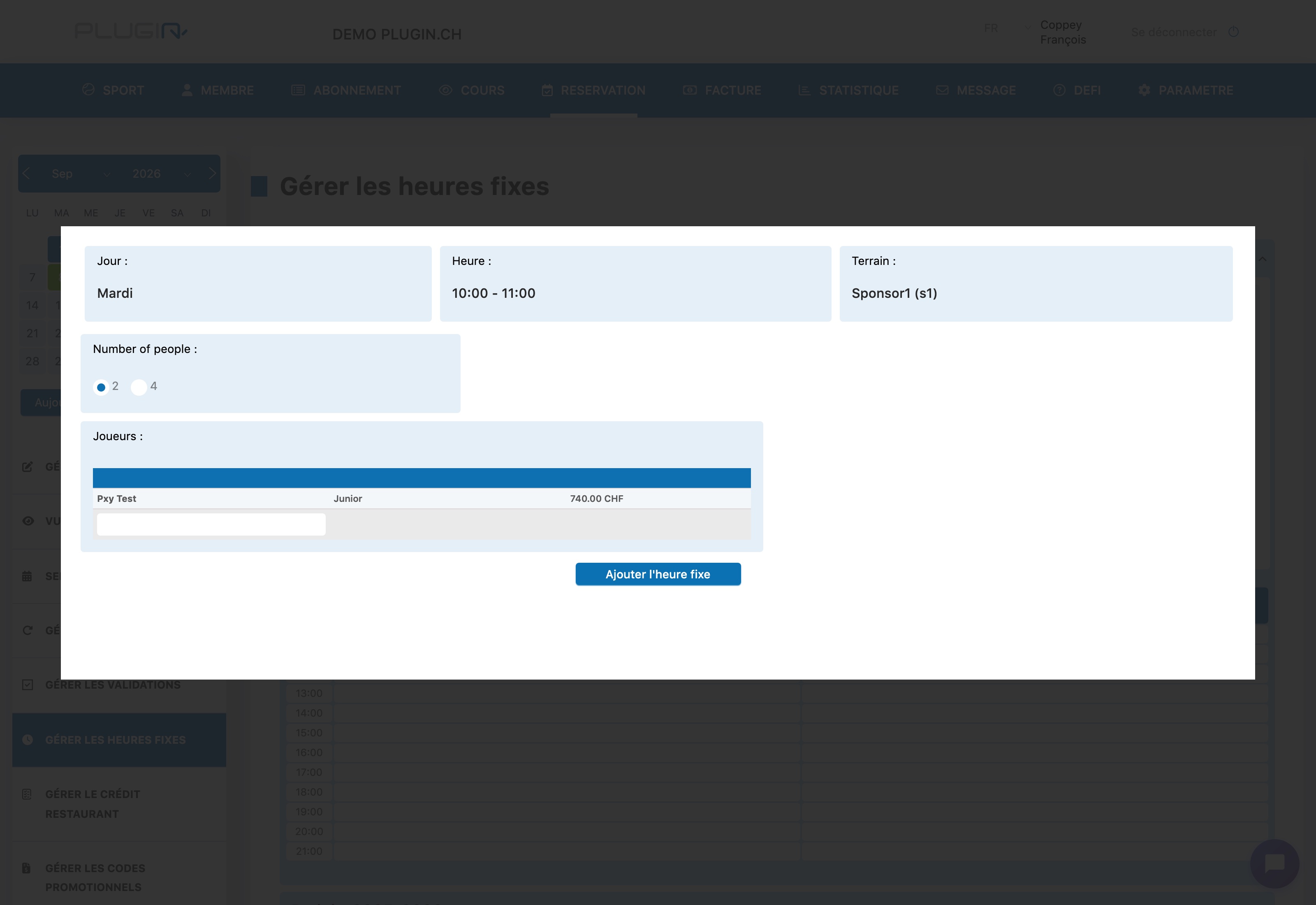
⚠️ Check the displayed price next to the player (e.g. 740.00 CHF). If it is empty or incorrect, first correct the price category in ABONNEMENT → Manage prices.
Click Add fixed hour : it appears immediately in the table, in the chosen color. Repeat the operation for each slot to assign.
4. Validate and invoice
Once all the fixed hours are in place, click on Confirm times and invoice (configuration form button): bookings are generated for the whole period and invoicing is triggered via the selected item.
To edit or delete an existing fixed hour, simply click on it in the table.
Plugin.ch Tutorial — Manage bookings